Introducing Drafts: Edit Sai's Work Right in Chat
We’re excited to roll out Drafts — a new way to refine the documents Sai creates for you, without ever leaving the conversation.
When you ask Sai to write something — a project proposal, an email, a report — it now opens that work as an editable draft right in chat. Instead of copying text out to another tool, you can shape it on the spot and pick up where you left off anytime.

How it works
- Ask Sai to create something — Request a document, like “Write me a one-page project proposal,” and Sai generates it.
- Work with it directly in chat — Sai opens an editable view of the artifact in your conversation, so you can read, tweak, and refine it inline.
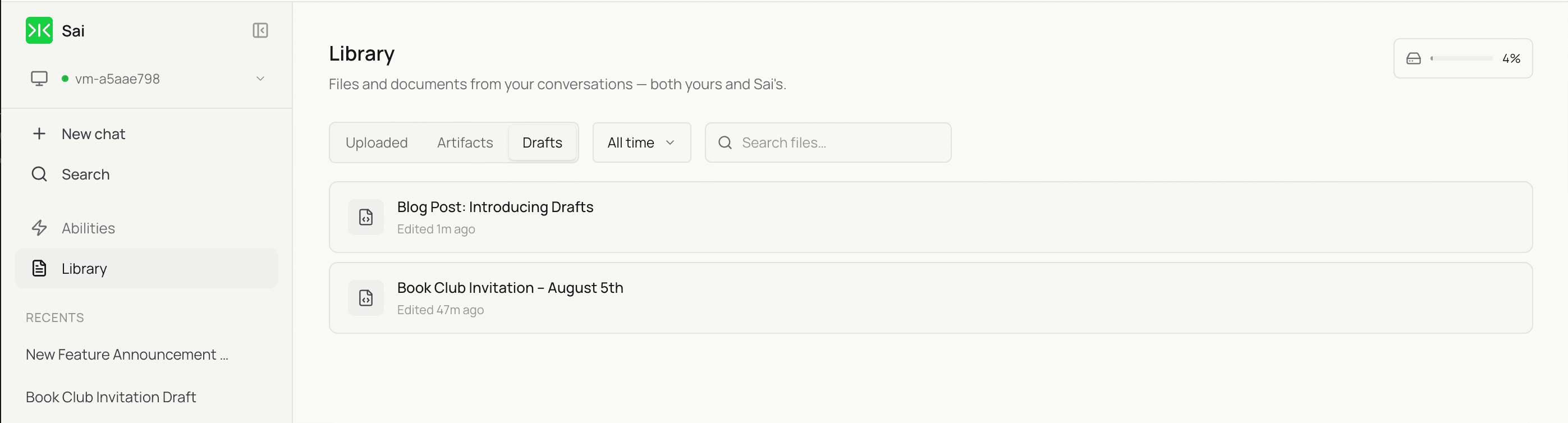
- Find every draft in your Library — A dedicated Drafts tab keeps all of Sai’s artifacts in one place, ready whenever you are.
What you’ll love
- Full WYSIWYG rich-text editor — Edit with formatting intact. What you see is what you get.
- Everything in one place — All your drafts live in the Drafts tab in your Library for easy access.
- Stay in control — Edit, discard, or use a draft whenever you’re ready.
Why it matters
Sai’s first response is a starting point, not the final word. Drafts gives you a smooth way to collaborate — refine the details, adjust the wording, and turn a good first version into exactly what you need, all in one place.
Try it today
Next time Sai creates a document for you, edit it right in the chat — then find it anytime in the Drafts tab in your Library. We can’t wait to see what you create.
Have feedback? We’d love to hear how Drafts is working for you.
Email us at support@simular.ai.